HYROX
See the work behind each station.
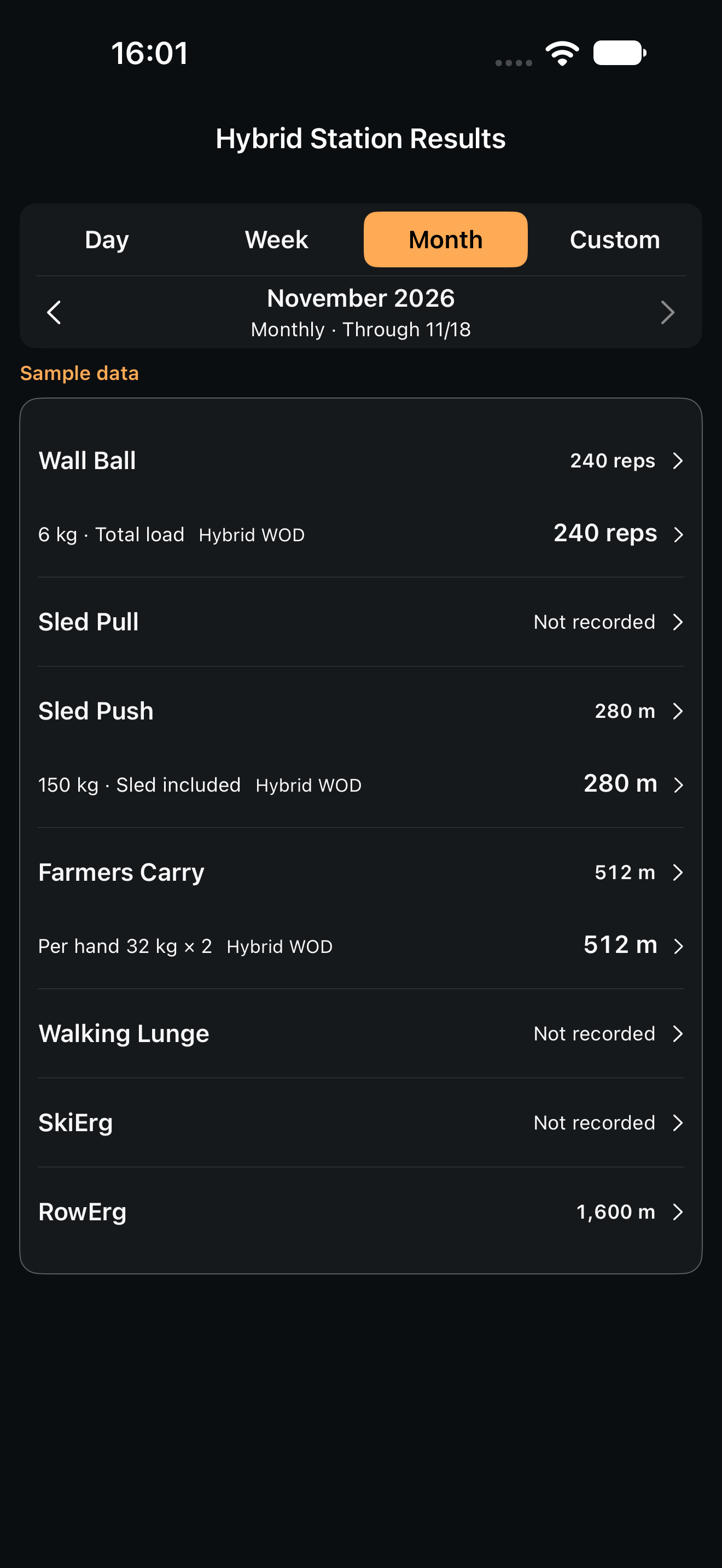
How many wall balls this month? How many metres of sled pushes? See the work add up, station by station.
Hybrid station resultsFREE
Sample data.
Basic totals and load-condition breakdowns are free.
YOUR TRAINING. EVERY DETAIL.
Every effort. One view.
Log, review, and build your WOD.
Sample data.
Start with the training you do.
01 / FOUR SPORTS. ONE LOG.
HYROX, CrossFit, strength and running. From today’s details to the work that adds up.
HYROX
How many wall balls this month? How many metres of sled pushes? See the work add up, station by station.
Sample data.
Basic totals and load-condition breakdowns are free.
CrossFit
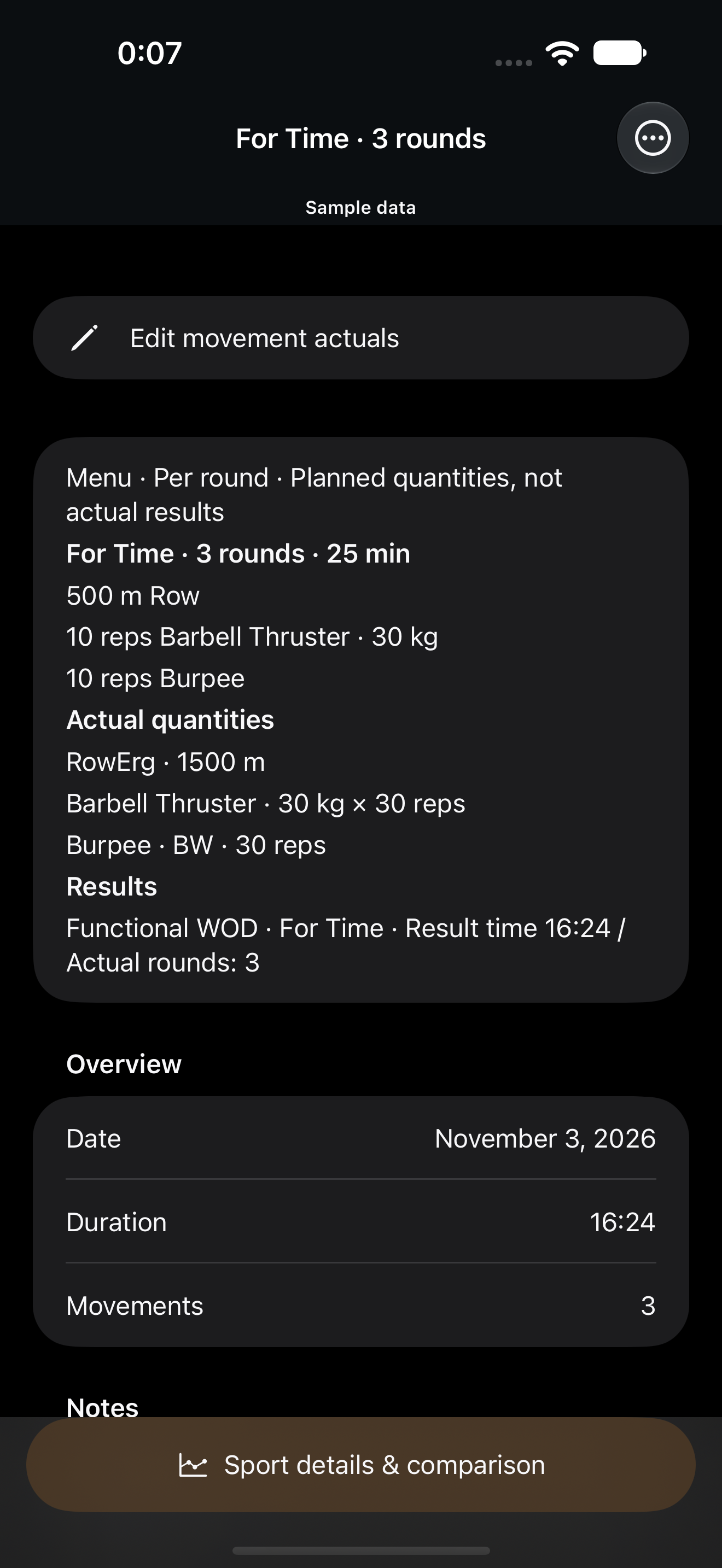
Go beyond times and rounds to movements, reps and loads. Look back at the work inside your WOD from the Overview.
Sample data.
Per-round prescription and confirmed three-round totals are shown separately.
Strength
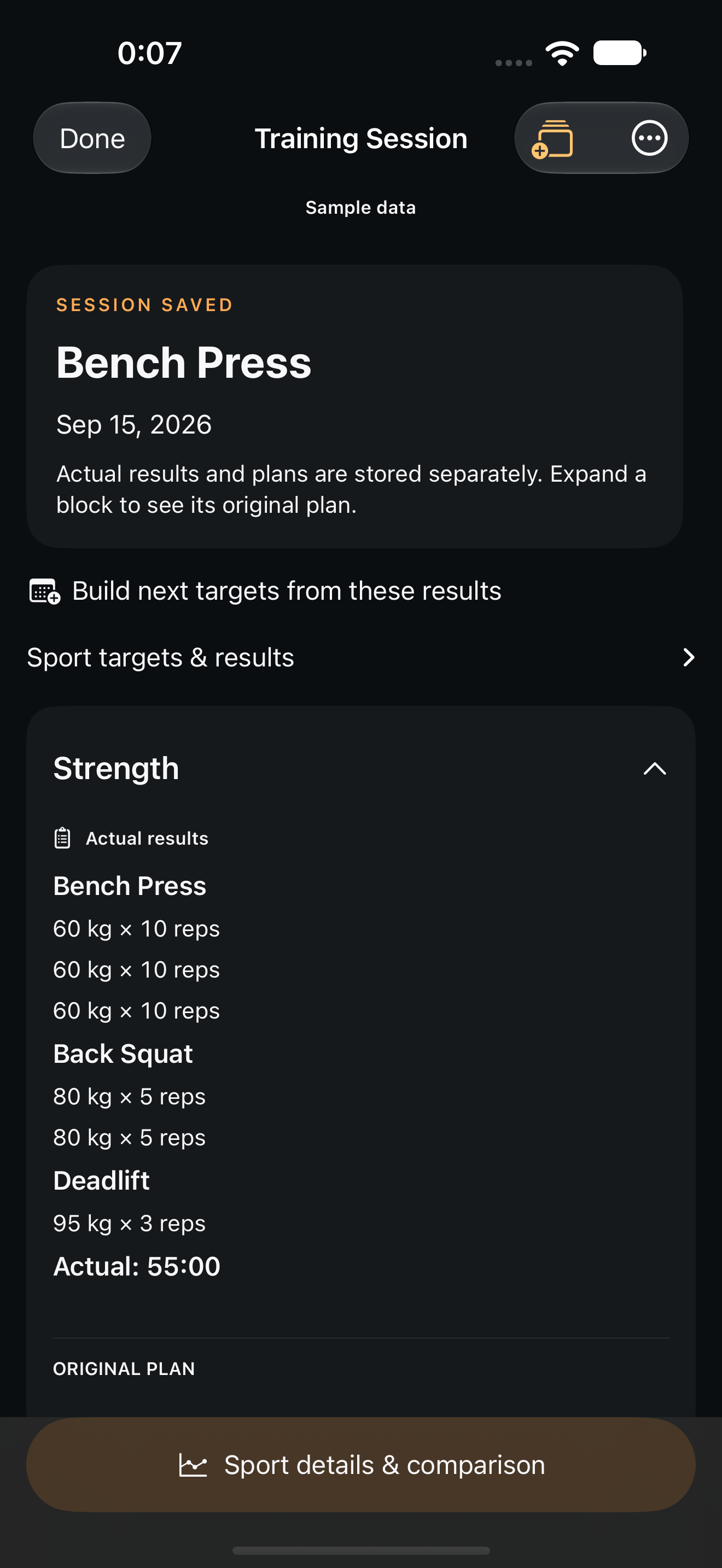
Weight, reps and sets. Check your previous workout while logging today’s training.
Sample data.
Image shows saved results. Logging, last-workout reference, and history are free.
Running
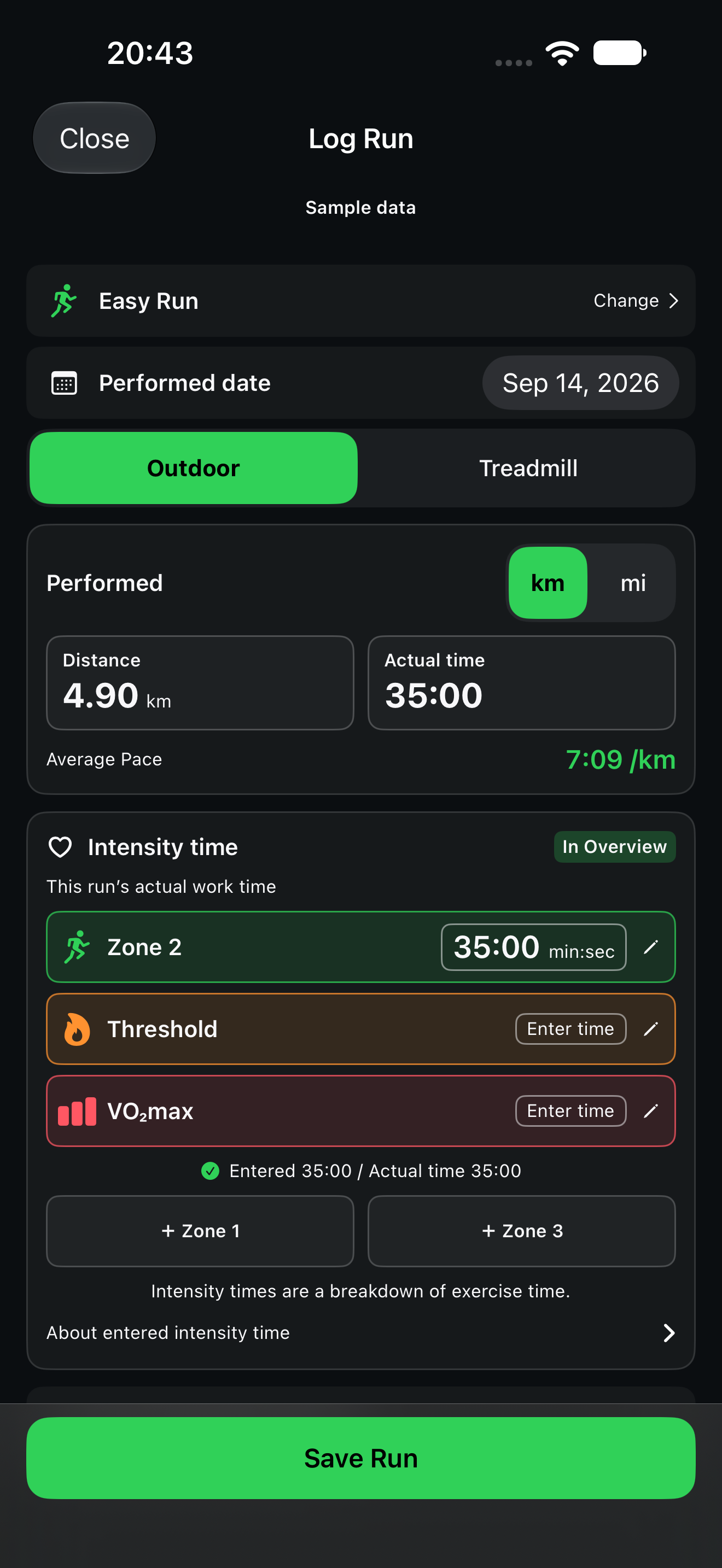
Log distance and time, and look back at your runs. With PRO, see the time mix of manually entered intensities.
Sample data.
Logging is free; intensity allocation is PRO. Intensity is not inferred from heart rate.
Log erg sessions and other supported activities too.
02 / WOD ROULETTE
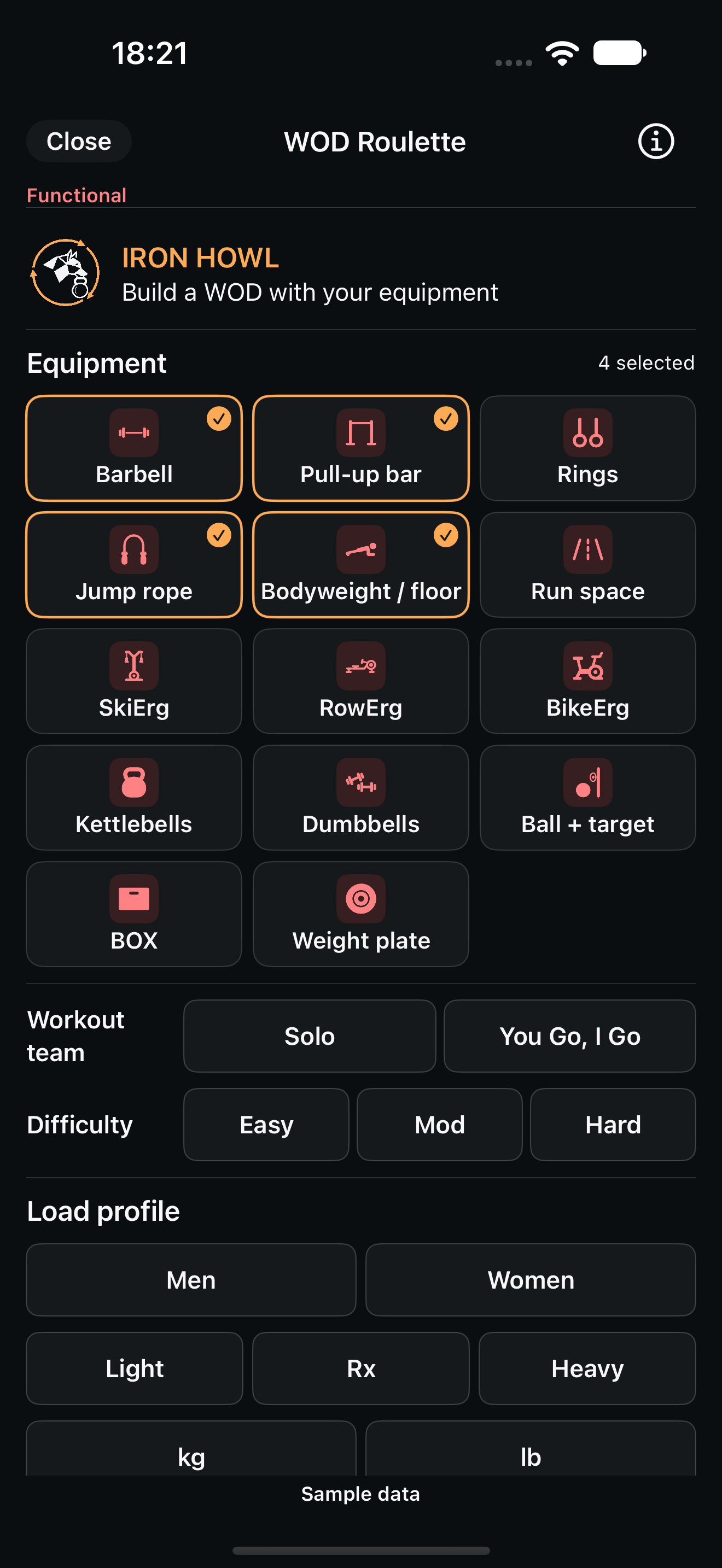
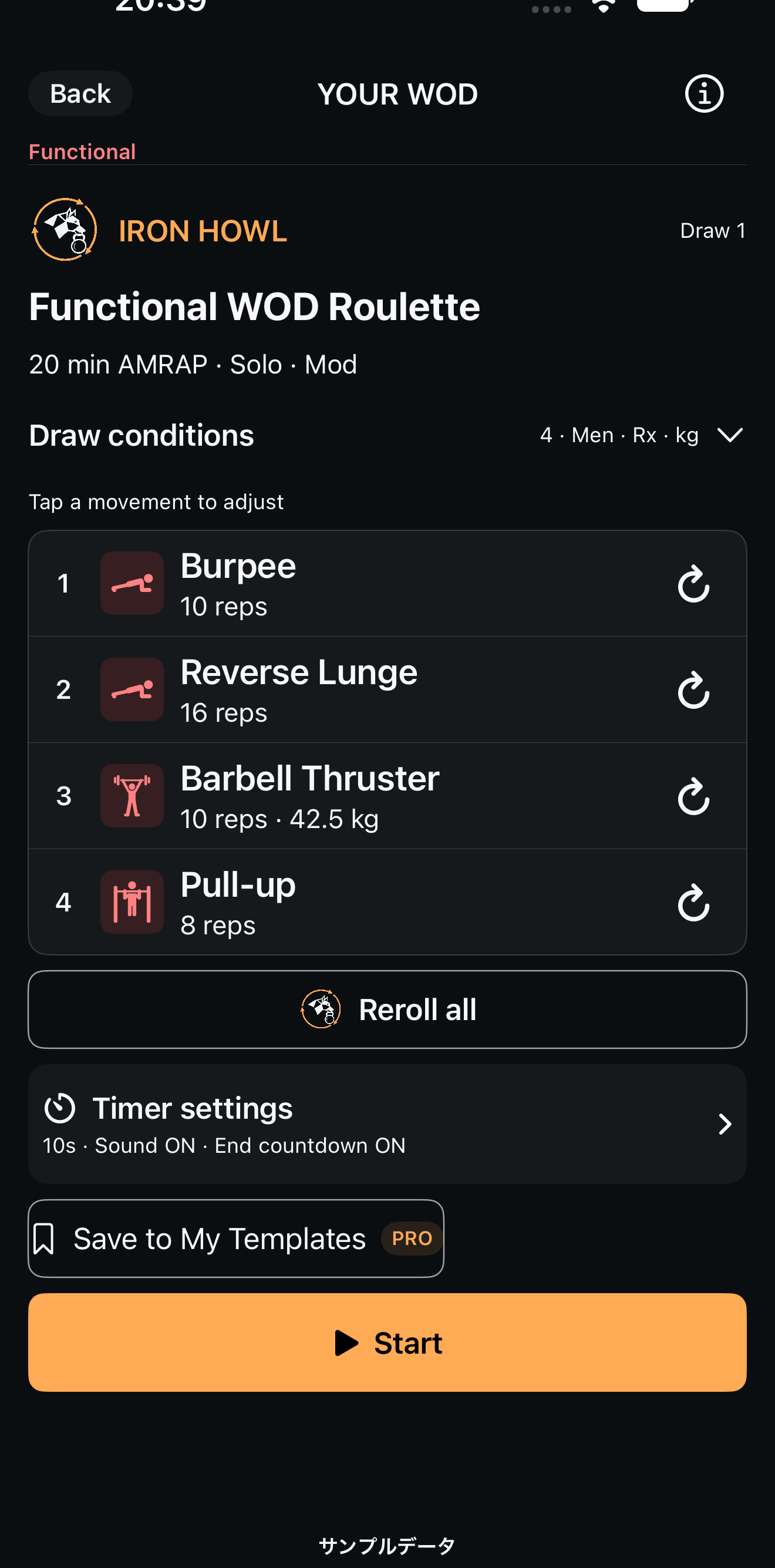
Choose your equipment and conditions to build a WOD idea. Review and adjust the menu, then start it in the timer.
Sample data.
Sample data.
Draw, adjust and start for free. Saving a named My Template requires PRO.
03 / YOUR BENCHMARKS
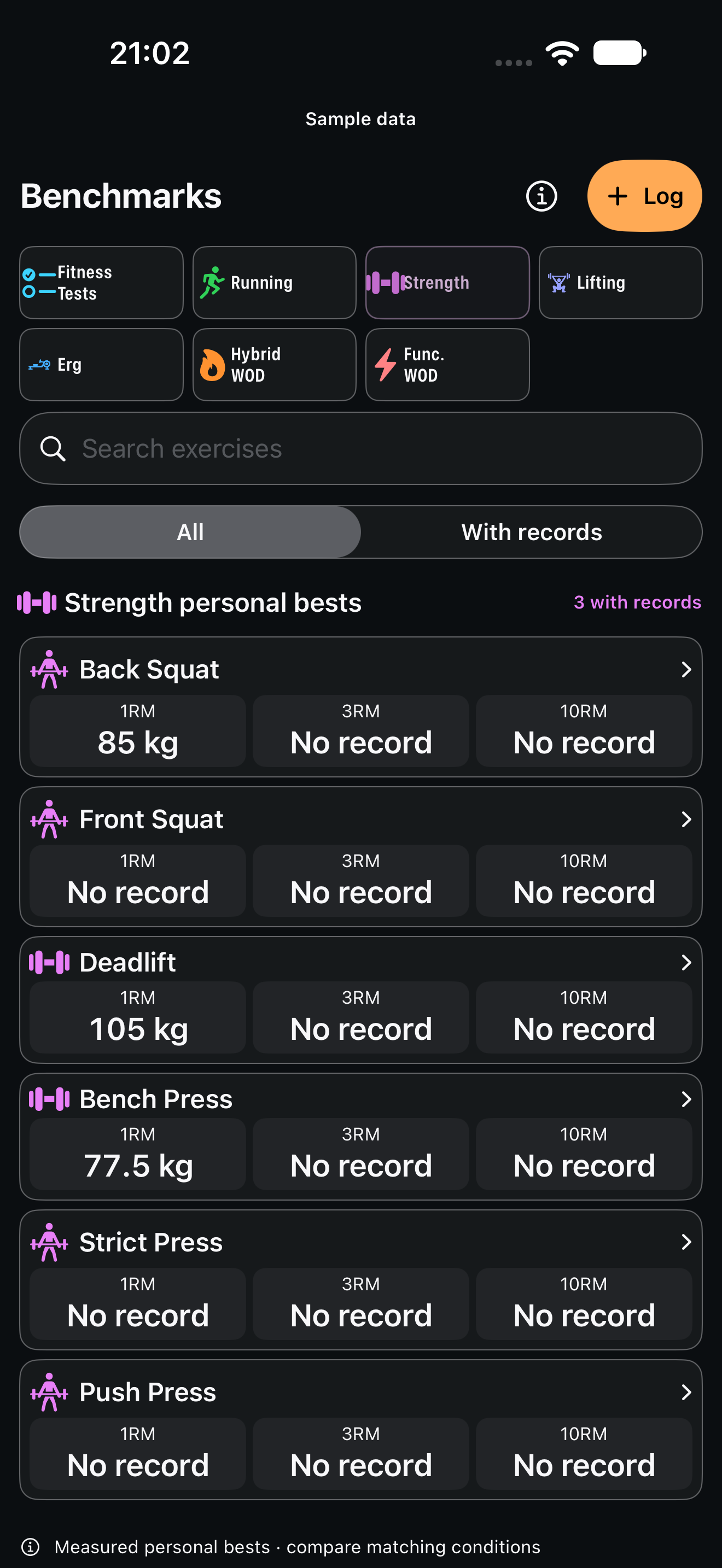
Save supported benchmark results and revisit your history and personal bests under matching conditions. Keep daily training and the records you aim for together.
Sample data.
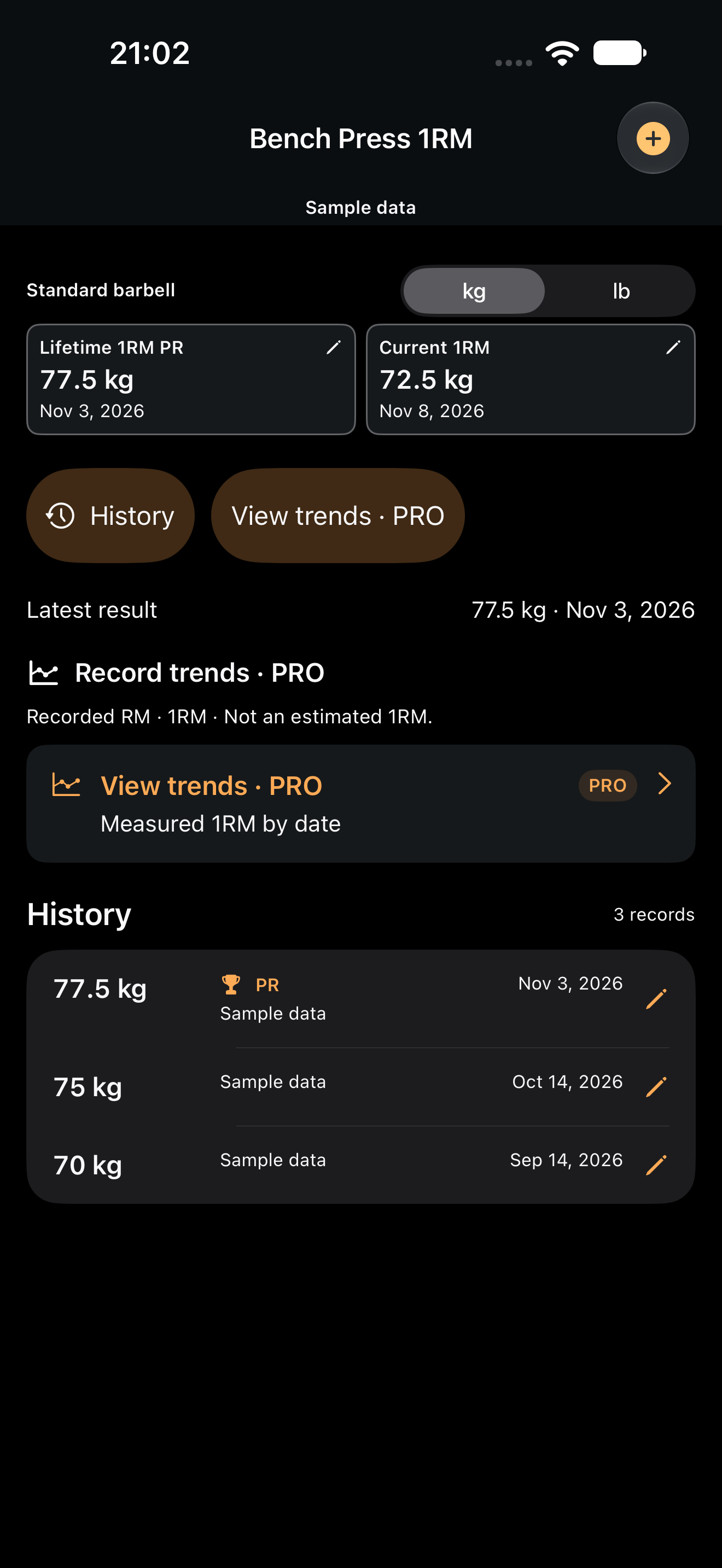
Sample data.
Registration, history and personal bests are free. Trends from your own records require PRO.
04 / MAKE IT YOURS
Strength, Hybrid WODs, and runs—in one image. Use your own background photo and make the layout yours.
Choose saved records from the same day. Photo backgrounds and text and logo layout are free to customize. Review the preview, then use your device’s share menu.
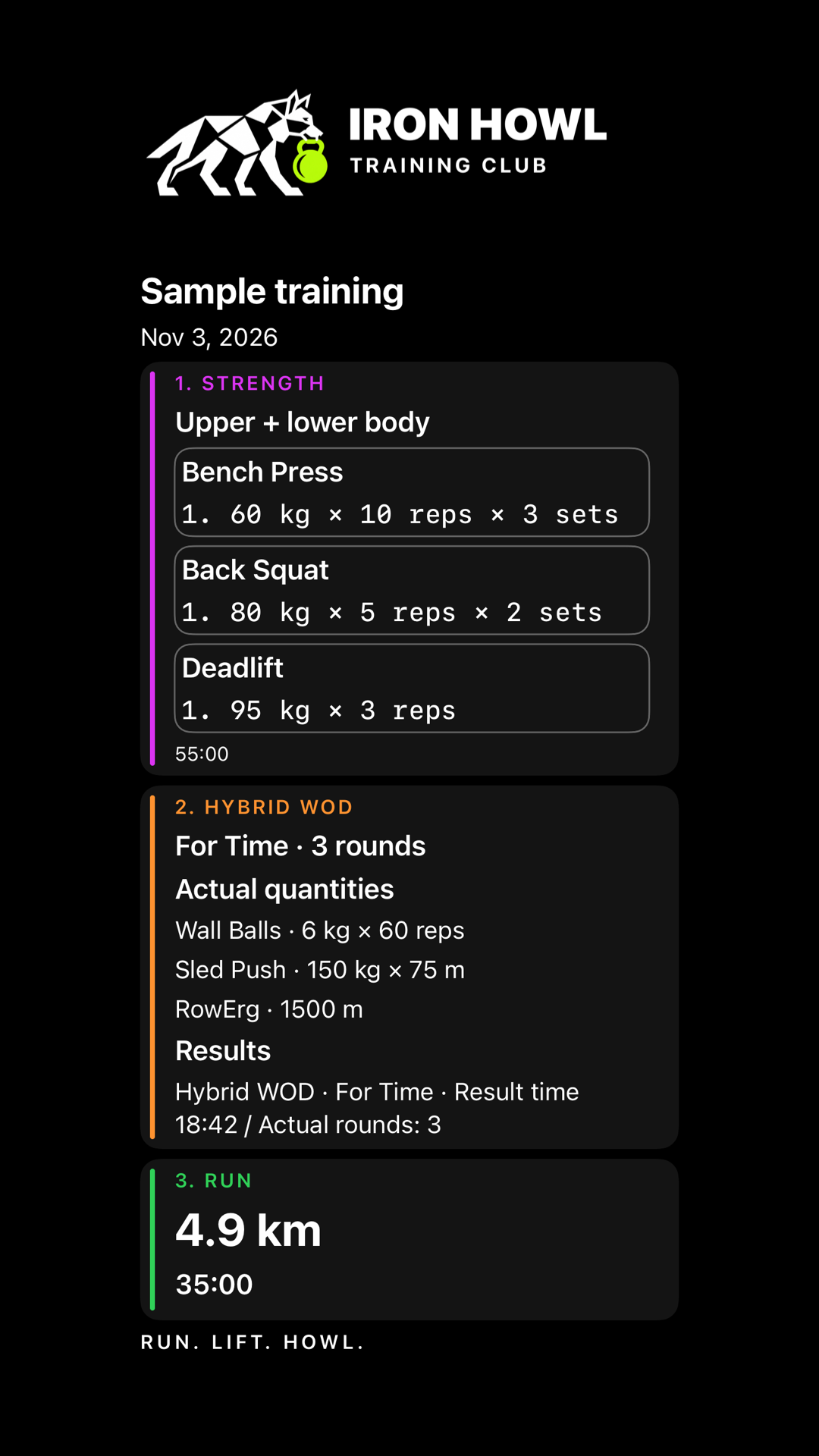
Sample data.
05 / GO DEEPER WITH PRO
Exercise trends, comparisons, strength balance and entered run intensity. PRO helps you look closer at the work.
Upper, lower, full body. See your training mix by completed sets or lifted volume.
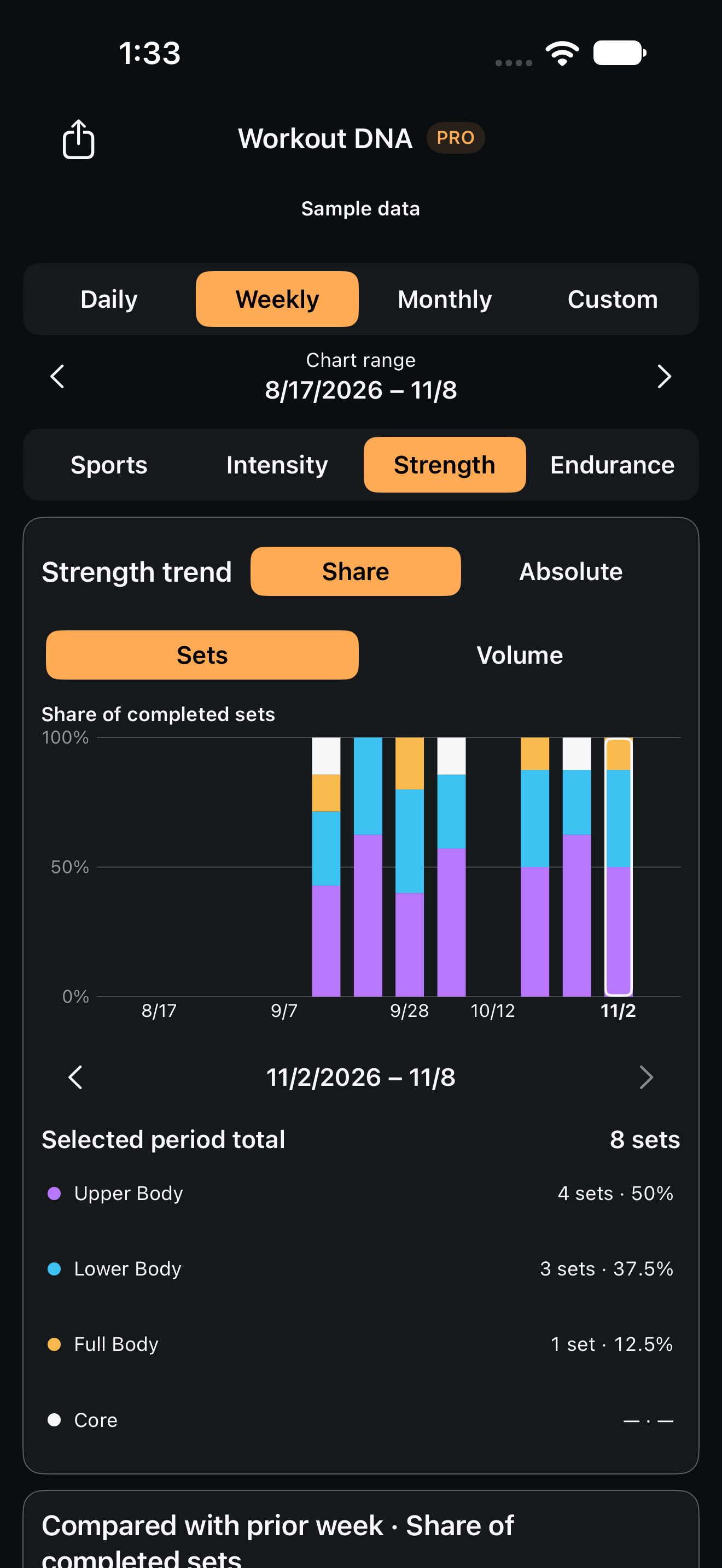
Sample data.
Follow exercise volume by day, week or month.
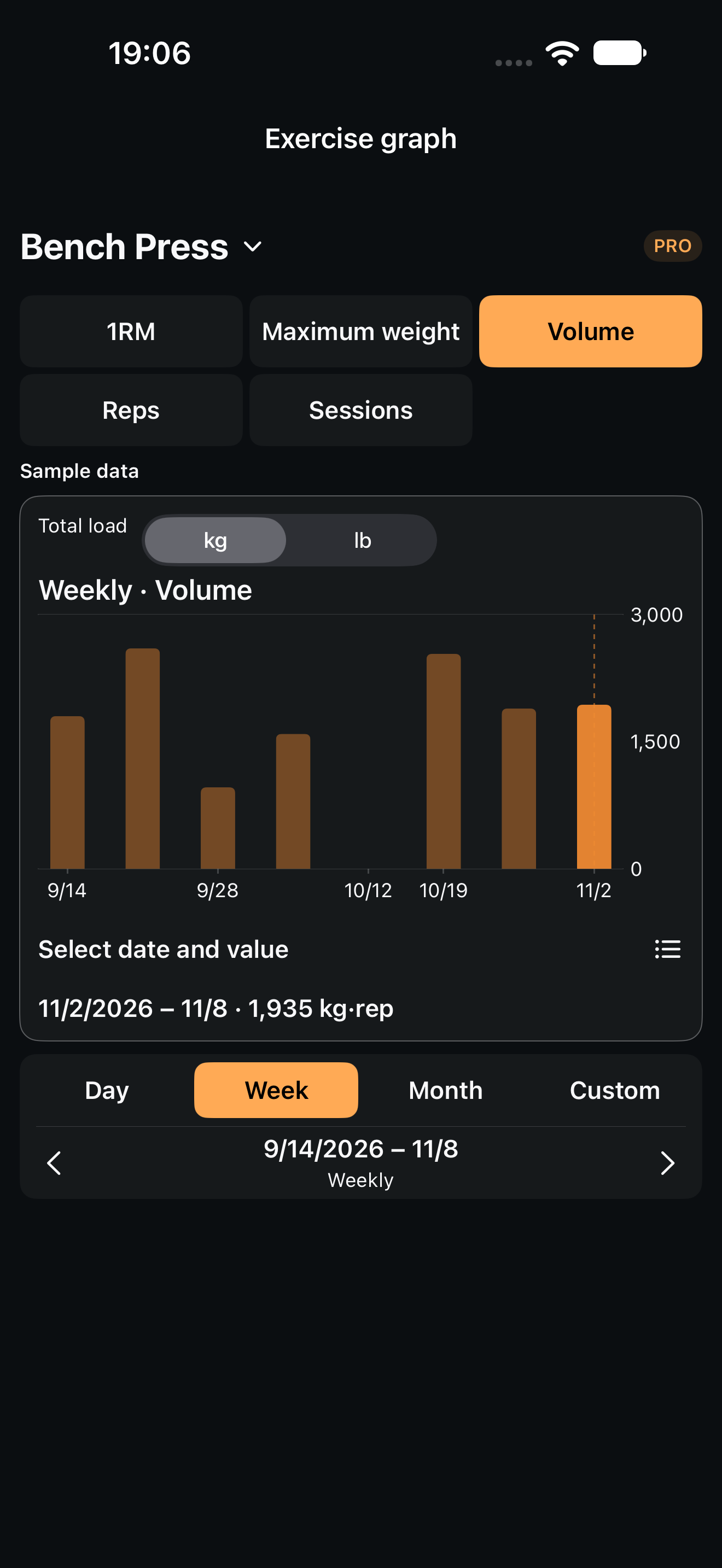
Sample data.
Filter to Run and treadmill. See each intensity as a share of manually classified time.
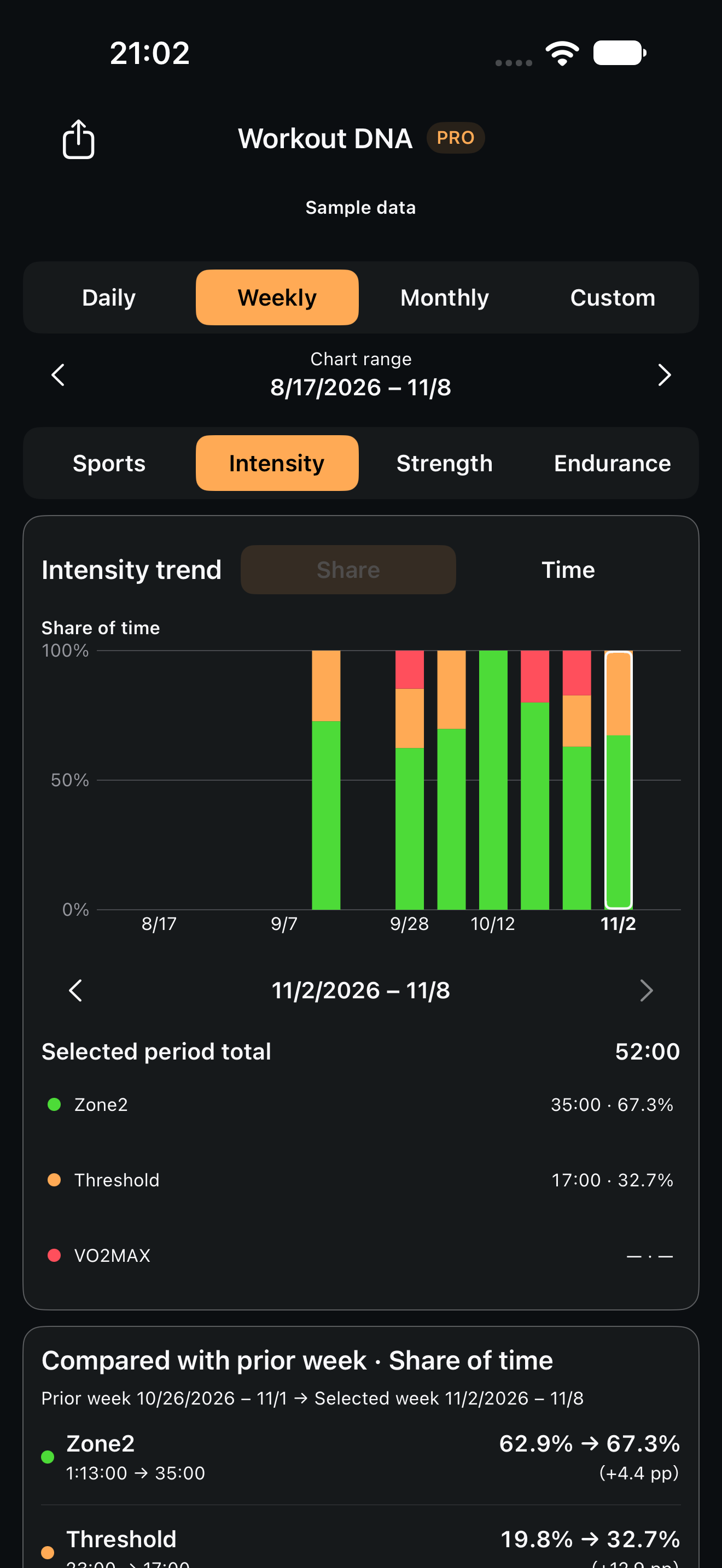
Sample data.
Unclassified time is excluded. This is not a distance share or measured heart-rate-zone share.
Explore exercise-level trends and compare eligible movements across strength, Hybrid, WOD and running.
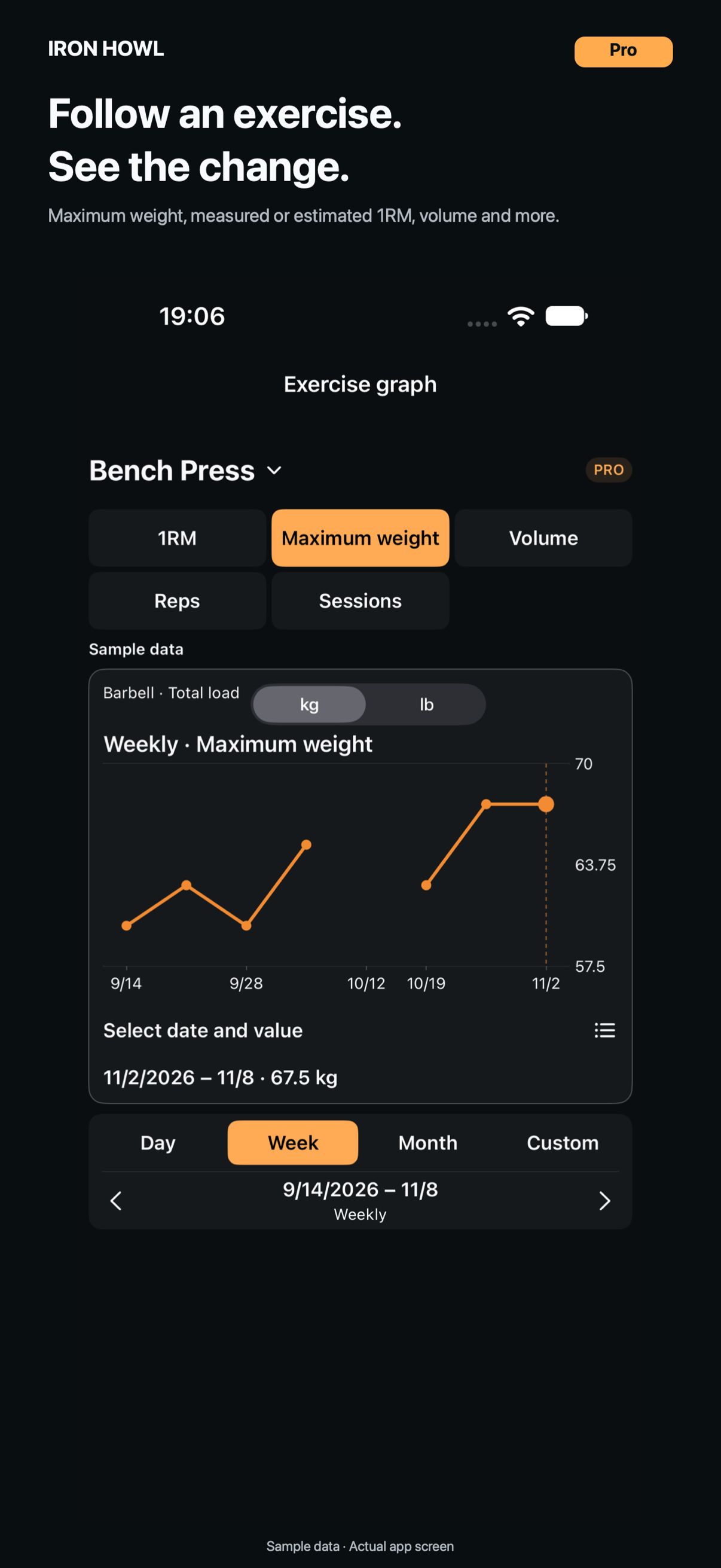
Sample data.
Compare your mix of sports, entered intensity, strength and endurance.
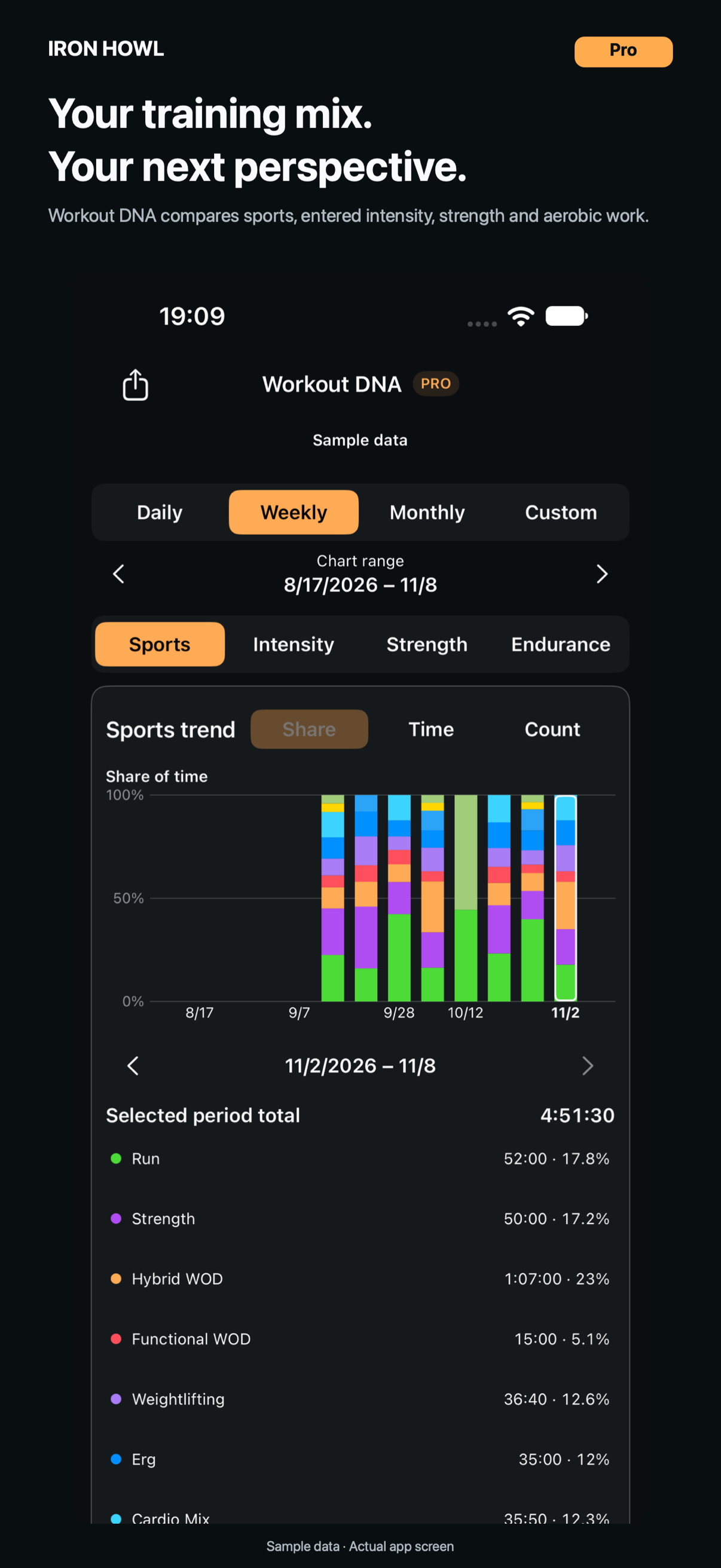
Sample data.
06 / FREE & PRO
Basic logging for HYROX, CrossFit, strength and running is free.
FREE
IRON HOWL PRO

IRON HOWL Training Club
For runners. For lifters. For those who enjoy both.
Everyone who uses IRON HOWL is part of IRON HOWL Training Club.
Different goals, places and paces. Each of us taking on our own challenge, under the same flag.
RUN. LIFT. HOWL.
A shared identity for all users, across FREE and PRO, sports, experience levels and places to train. No membership system or additional terms.
08 / FAQ
A few things worth knowing.
Basic logging, history, Overview including basic trends across sports, HYROX and WOD totals and breakdowns, 1RM registration and sharing customization are free. Individual exercise trends and comparisons, Workout DNA body-group shares and volume trends are PRO. Free users can also explore labelled analysis samples.
Planned content and work supported by entered actuals or confirmed results are separate. Ending early or leaving fields blank does not count the entire menu as completed. Quantities that cannot be confirmed are not filled in from the plan.
In PRO’s Workout DNA, filter to Run and treadmill. It totals manually entered time under Zone2, Threshold, VO2MAX and the additional Zone 1 / Zone 3 categories. Shares use classified input time only; unclassified time is excluded. Workout names and average heart rate do not automatically classify intensity. Missing input is not inferred. This differs from distance comparisons by running purpose and from the intensity mix across all sports.
Basic Overview includes free period selection. Totals cover records in the selected period, with different load and equipment conditions kept separate. Not every date option requires PRO.
Yes. You can use weights, reps, sets, previous records, rest timers, history and 1RM registration without training for HYROX or CrossFit. These basic features are free.
Shares classify recorded exercises using completed sets or eligible lifted volume. They do not measure muscle activation or training effects. Volume is external load × reps, excluding bodyweight, assistance, unknown loads and time or distance sets.
No. You can register results manually; normal workouts link only when completion, exercise, distance, reps, load and execution conditions meet the rules. History and PBs are compared under matching conditions. Measured Lifetime 1RM, a manual Current reference and PRO’s estimated 1RM graph are distinct.
Select multiple saved records from the same day—such as strength, WODs, and runs—and combine them in an image. Choose names, duration, details, whether to include the planned menu, a title, your own photo background, and text and logo size and placement. Larger amounts of content may span multiple pages. Daily images exclude personal notes and heart rate; review dates, titles, photos, and exercise details before exporting. Customization is free; sharing from a separate PRO analysis screen follows that analysis’s access rules.
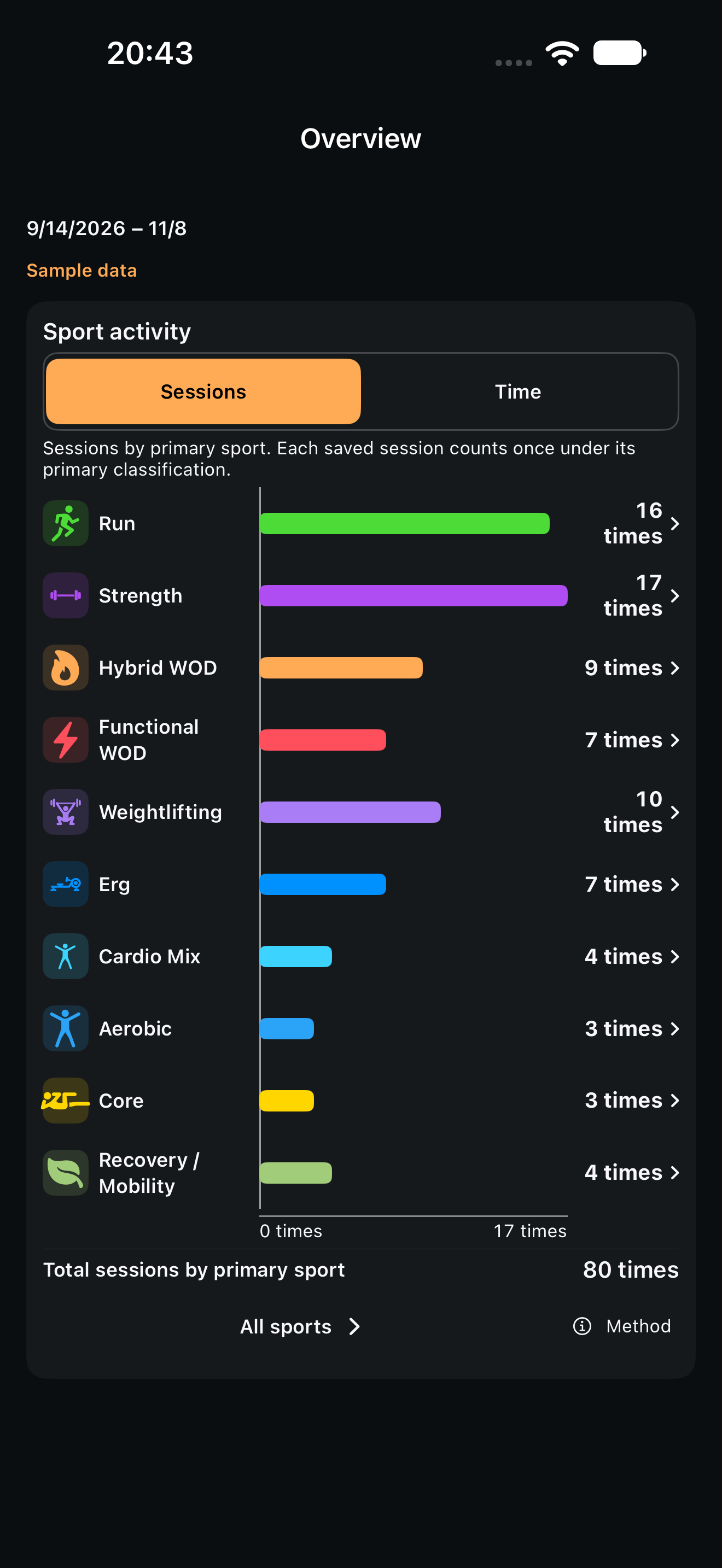
The example counts sessions by primary sport in the selected period, once per session. Movement reps, distance and load-condition actuals are shown in the relevant details. Hybrid WOD and Functional WOD are the app’s record categories.

RUN. LIFT. HOWL.
An introduction to the iOS app
Opens the US App Store.